Take one transparent cutout of Romeo—a Jack Russell—and ask ten Venice edit models to place him under cherry blossoms in Japan. Same dog, same job. Naive prompt first, tuned prompt where the first run fell short.
nano-banana-2-edit is the sharpest result in this test—noticeably crisper than everything else in the set. seedream-v4-edit is the closest rival with better overall scene feel, and both sit clearly above the rest of the field.The prompts
The first prompt tried to do everything at once. That worked on the more forgiving models and dragged the rest down.
One giant instruction blob: preserve identity, invent the scene, manage composition, and solve anatomy all in one pass.
Place this exact dog naturally sitting under blooming cherry blossom trees in Japan, photorealistic spring scene, soft daylight, pink sakura petals drifting in the air, a Japanese garden or temple path in the background, preserve the dog's exact face, fur texture, coloring, expression, and body proportions, full body visible, natural grounded shadow, high detail, no text, no extra animals, no duplicate limbs, no costume.
Same task, but structured properly: lock the subject first, then define the scene.
Use the input dog exactly as the subject. Keep the same face, fur pattern, expression, body size, and body proportions. Place the dog sitting centered on a stone path in a Japanese garden during cherry blossom season. Add blooming sakura trees overhead, soft natural spring daylight, scattered pink petals on the path, and a subtle temple gate in the distant background. Keep the dog photorealistic, natural, and unchanged. No extra limbs, no extra animals, no clothes, no text.
Why the tuned prompt helped
The model docs point in the same direction.
- Qwen Image Edit likes more targeted instructions and benefits from chained or scoped edits. The naive prompt was too broad.
- FireRed Image Edit explicitly leans on recaptioning, ROI detection, preprocessing, and expanded instructions. Again: the naive prompt was too broad.
- Seedream and GPT Image are more tolerant of messy prompting, which is why they survived the first pass better.
The real lesson was not that Qwen or FireRed are bad. The real lesson was that different models respond to different prompting dialects.
Iterations: naive vs tuned
This matters because some of the movement here is real model quality, and some of it is just prompt-shape sensitivity.
Less synthetic, more Romeo
The first pass was already workable. The tuned pass made it calmer, more faithful, and easier to take seriously.
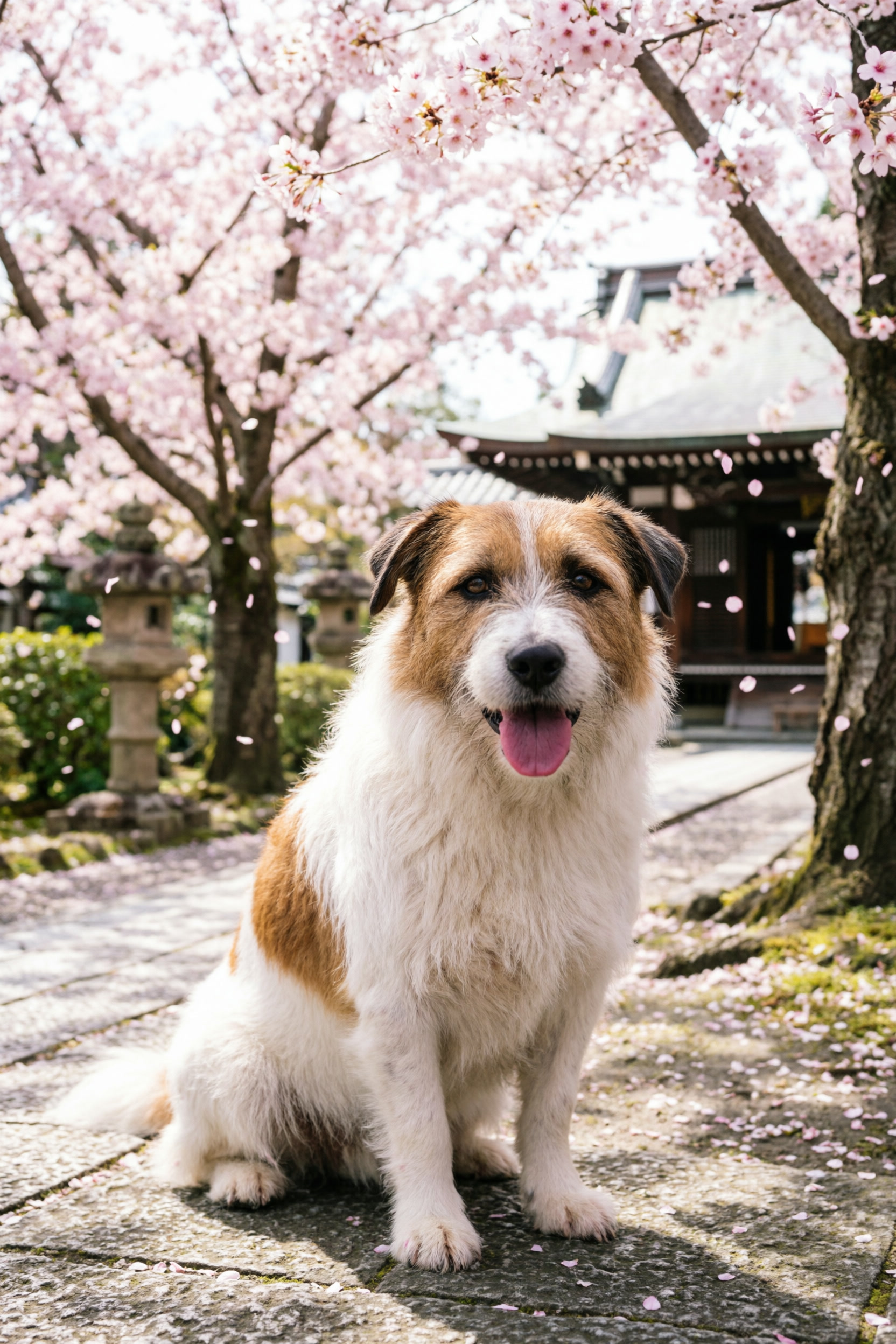
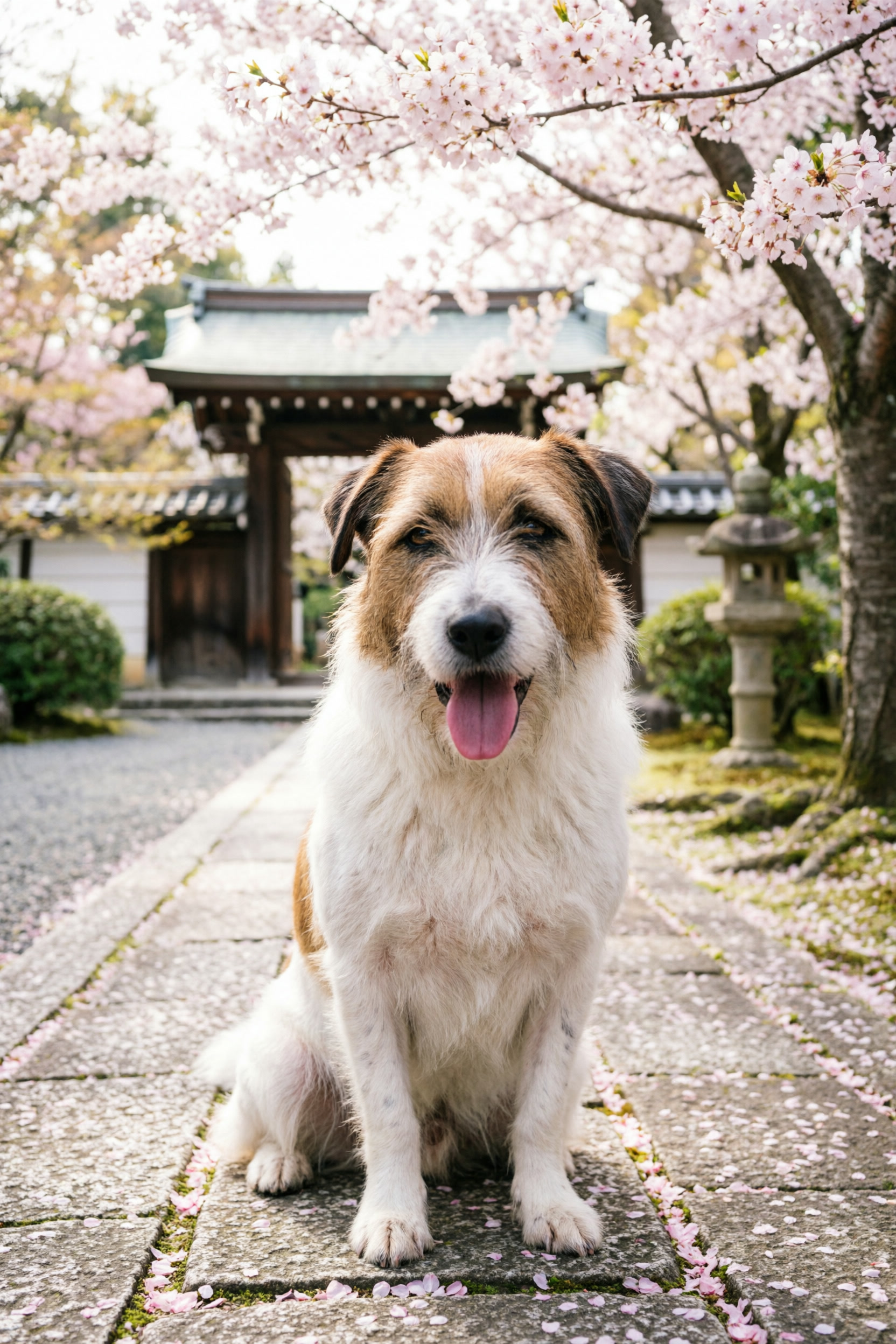
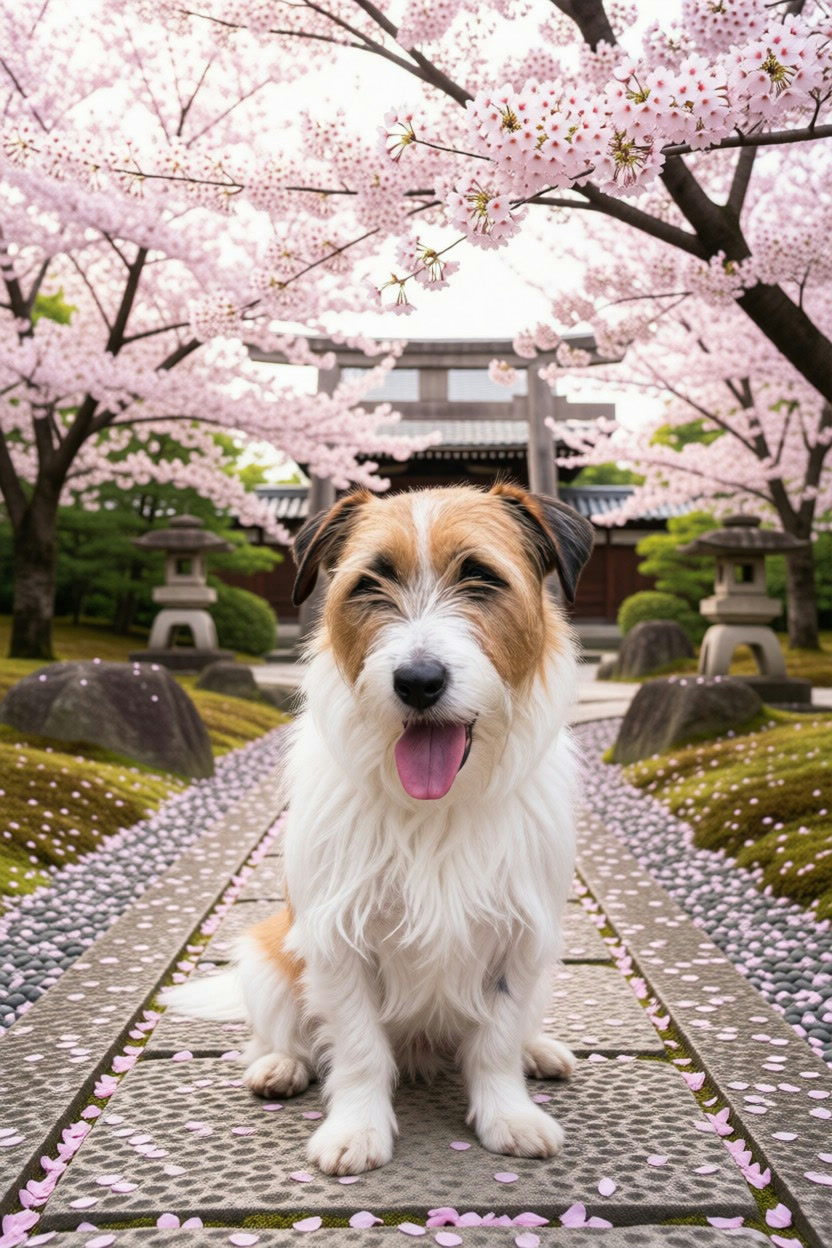
Improved, but still too polished
The tuned prompt helped, but FireRed still lands in a glossy AI-sanitised register that I do not fully trust for identity-sensitive edits.

Ranking
- nano-banana-2-edit (tuned)
- seedream-v4-edit
- gpt-image-1-5-edit
- seedream-v5-lite-edit (tuned)
- flux-2-max-edit
- nano-banana-pro-edit
- firered-image-edit (tuned)
- qwen-edit
- qwen-image-2-pro-edit (tuned)
- grok-imagine-edit
nano-banana-2-edit takes the top spot on sharpness. Where other models soften or smooth, this one renders with a crispness that’s immediately visible — fur texture, edge definition, the kind of detail that holds up at full size. Seedream V4.5 is the closest rival and edges it on overall scene feel, but on raw output fidelity nano-banana-2 is the one.
What I learned
Model quality matters, and so does prompt structure. Some models are more forgiving than others. A model can look mediocre when the real problem is that the instruction was written in a way the model does not naturally want to follow. Getting edit model comparisons right means running each model in its preferred dialect, not one prompt for all of them.
A recommendation for Venice
Venice’s /image/edit API is clean and consistent. The problem is that consistency comes at a cost: every model routes through the same fixed parameter surface, so model-specific controls simply do not exist on the caller’s side.
OpenAI’s images.edit endpoint exposes quality, output_format, output_compression, and fidelity — knobs that let you trade off rendering style, file size, and subject preservation per request. Venice’s equivalent has none of these. You get prompt, modelId, image, aspect_ratio, and that is roughly it.
The practical effect: every model runs at its own defaults with no way to push harder on quality, request a specific output format, or dial in fidelity when likeness is the whole point. For a benchmark like this one, where subject faithfulness is the primary criterion, that is a real limitation. The results partly reflect each model’s default settings rather than what each model can actually do when pushed.
The most compelling example of what is being lost: Nano Banana 2 runs on Gemini 3.1 Flash. The Gemini image generation API exposes thinking modes — thinking_budget controls how much reasoning the model applies before generating, with Minimal as the default and High or Dynamic available when quality matters more than latency. It also supports resolution tiers from 512 px up to 4K. Neither of these reaches Venice callers today. The sharpest result in this set was almost certainly bottlenecked by defaults, not by the model’s ceiling.
FLUX.2 [flex] similarly exposes guidance (1.5–10, controlling prompt adherence vs freedom) and steps (up to 50) through its native API. Qwen Image has no meaningful tuning surface to speak of — so there is nothing lost there — but FLUX and Google are different stories.
A reasonable fix would be a provider_params passthrough field — an opaque object Venice forwards to the underlying model API when supported, and silently ignores otherwise:
{
  "modelId": "nano-banana-2-edit",
  "prompt": "...",
  "provider_params": {
    "thinking_budget": "high",
    "output_format": "jpeg"
  }
}
This preserves the simple unified surface for callers who do not need it, while unlocking real control for those who do. Models that do not support a given param ignore it. The API stays backwards-compatible. Venice gets to remain the OpenAI-compatible layer it already is, just with an escape hatch for power users.
The “one API fits all models” design is the right default. It just needs an exit.
Venice links
If you want to browse the platform itself:
- Venice AI
- Venice API docs
- Venice model list endpoint (requires your own auth to use directly)
Aside: calling Venice from curl
This is the bare shape of a Venice edit request. Use your own API key via an environment variable. Do not paste secrets into shell history like a maniac.
export VENICE_API_KEY="your-key-here"

curl -sS -X POST "https://api.venice.ai/api/v1/image/edit" \
  -H "Authorization: Bearer ${VENICE_API_KEY}" \
  -F "modelId=seedream-v4-edit" \
  -F "image=@/path/to/romeo.png;type=image/png" \
  -F 'prompt=Use the input dog exactly as the subject. Keep the same face, fur pattern, expression, body size, and body proportions. Place the dog sitting centered on a stone path in a Japanese garden during cherry blossom season. Add blooming sakura trees overhead, soft natural spring daylight, scattered pink petals on the path, and a subtle temple gate in the distant background. Keep the dog photorealistic, natural, and unchanged. No extra limbs, no extra animals, no clothes, no text.' \
  -F "aspect_ratio=2:3" \
  -o result.png
And if you want the list of available Venice edit models:
export VENICE_API_KEY="your-key-here"

curl -sS "https://api.venice.ai/api/v1/models?type=inpaint" \
  -H "Authorization: Bearer ${VENICE_API_KEY}" | jq -r '.data[].id'
That will show things like seedream-v4-edit, gpt-image-1-5-edit, qwen-image-2-edit, nano-banana-2-edit, and the rest of the lineup.